Display Events
There are several ways to display events on your site.
Sites that publish events typically add a link to the default events calendar page in their top navigation, and then use one of the shortcode options described below to display upcoming events on key pages such as the home page.
Default Events Calendar Page
When the plugin is enabled, it automatically creates a calendar page located at: site-url/events. For example:
- https://www.med.unc.edu/neurology/events
- https://unclineberger.org/events
By default, this page displays all events in a calendar view. Since many SOM sites have relatively few events, we recommend changing the display to List View, which is often easier for visitors to browse.
The Month View displays events on a traditional calendar grid, allowing visitors to see events organized by day across an entire month. This view works well for sites with many events spread throughout the month.

The List View displays events in chronological order, similar to a blog or agenda. This format makes it easy to quickly scan upcoming events and is often more effective for sites that have relatively few events.

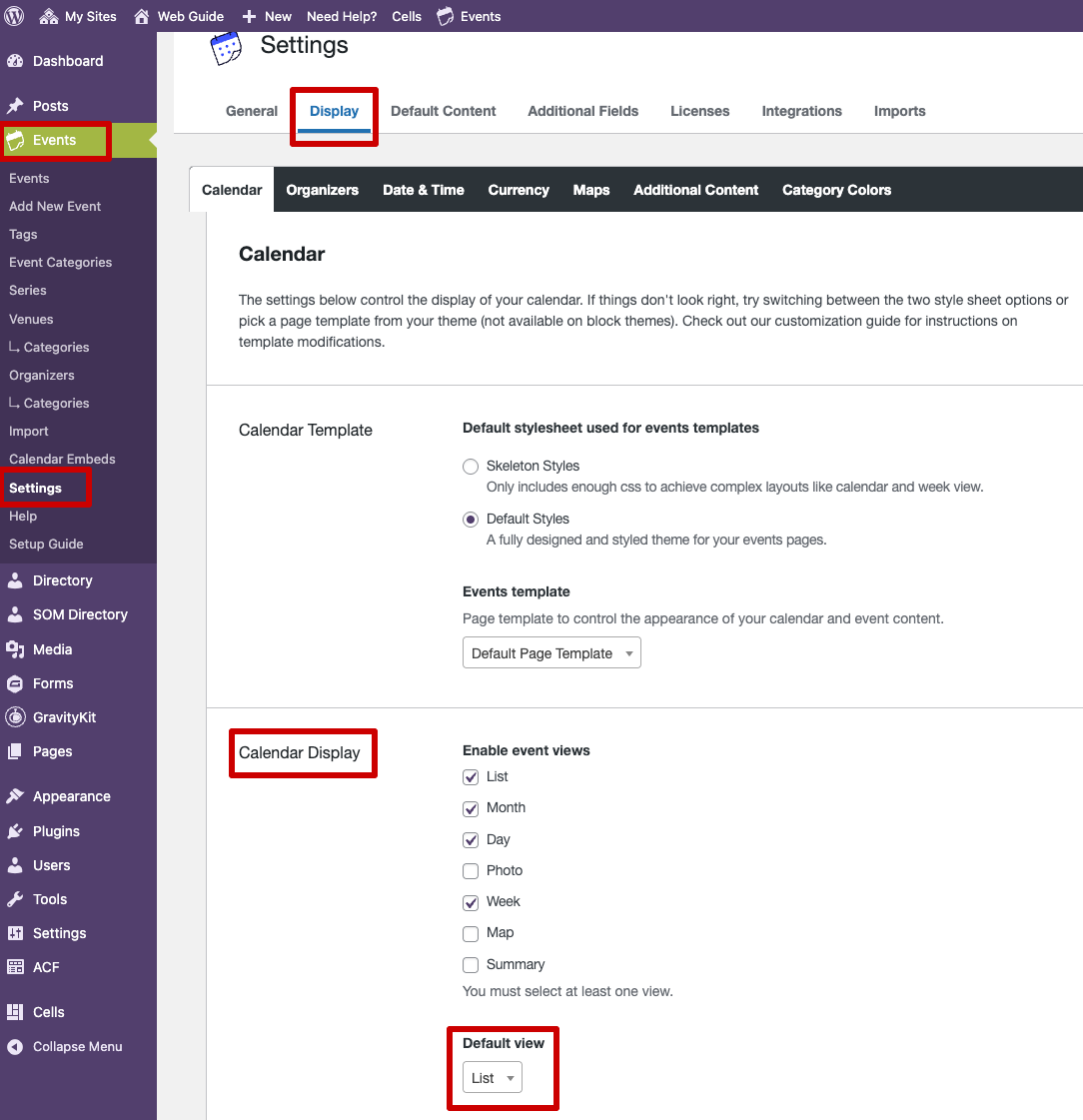
To change the default view
- Go to Events → Settings
- Click the Display tab
- Under the Calendar Display section set the Default View to List.
Using Syndication Cell Shortcode
A Syndication Cell provides the most flexible way to display events.
This option allows you to display:
- Events from your site
- Events from other SOM websites
- A combination of events from multiple SOM sites
- Past events
Using Theme Shortcode
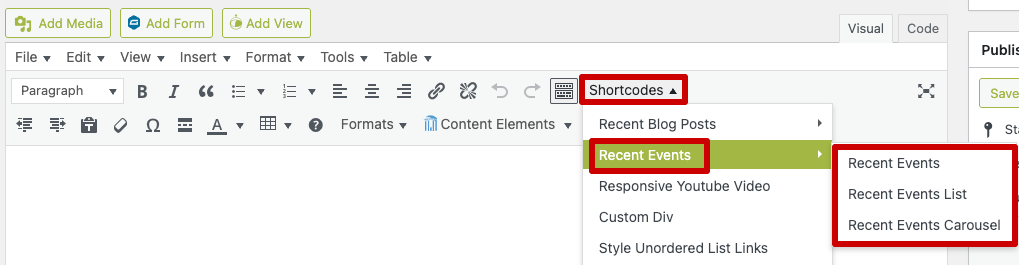
The SOM theme includes shortcodes for displaying events. There are 3 options that display upcoming events in different layouts.
To use them:
- Click the Shortcodes button in the editor.
- Select Recent Events.
- Choose from one of the three layout options.
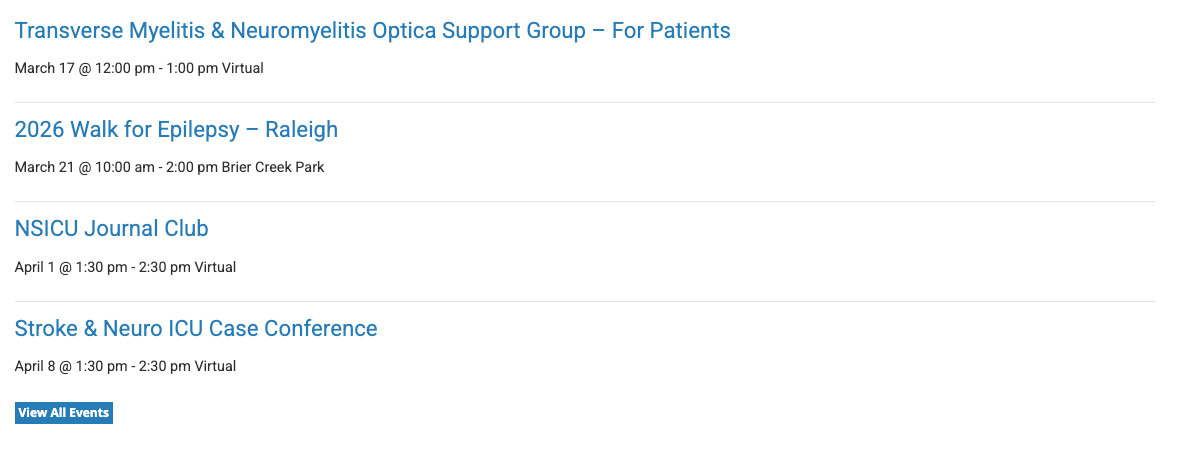
Recent Events
Selecting this option inserts the following shortcode:
[heels-tribe-events number="4"]
This will display a vertical listing of events. This shortcode is configured to display the four most recent events. You can modify the number to control how many events appear.
Recent Events List
Selecting this option inserts the following shortcode:
[heels-tribe-list number="4"]
This will display an alternative vertical listing that predominately displays the event date. This shortcode is configured to display the four most recent events. You can modify the number to control how many events appear.

Recent Events Carousel
Selecting this option inserts the following shortcode:
[heels-tribe-carousel number="8"]
This will display a horizontal listing of events. This shortcode is configured to display the eight most recent events. You can modify the number to control how many events appear.

Using Plugin Shortcode
The Events Calendar plugin also includes its own shortcode options for displaying events.
- Shortcodes Overview – view our shortcode documentation first if you are unfamiliar with what shortcode is.
- Events Calendar Pro Widget Shortcodes
Display Past Events
A Syndication Cell is the only supported method for displaying past events.