Stylized Headings
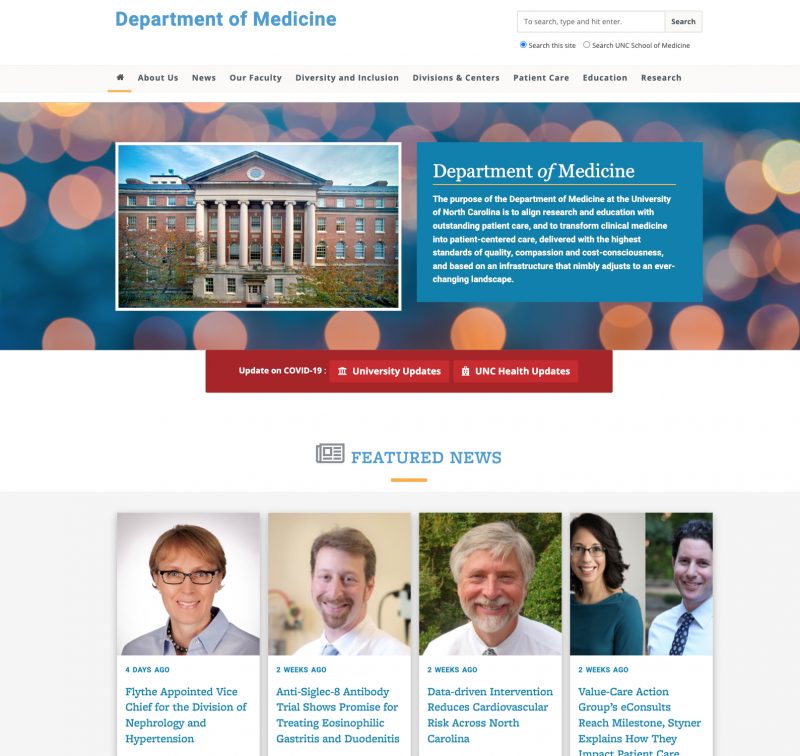
Below are several stylized heading options that all generate H2-level headings.
How To Add a Stylized Heading
- Place your cursor on the page where you want the heading to appear.
- In the editor toolbar, click the Shortcodes button.
- Hover over White Coat Theme Shortcodes to open the submenu.
- Select the desired heading option from the list.
- Shortcode will be inserted into your page.
- Replace the placeholder text with your own content.
School of Medicine Header
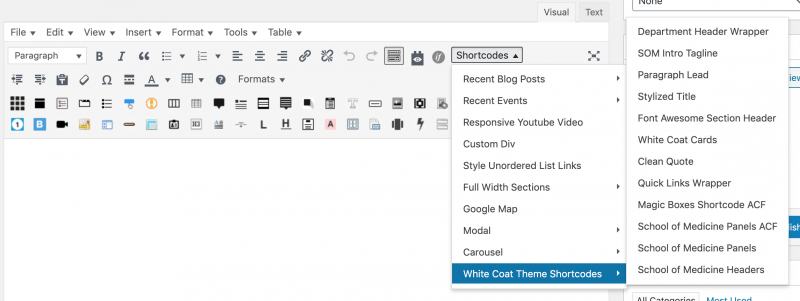
The School of Medicine Header shortcode is designed to introduce key sections of content on your homepage or other high-level pages. It creates a bold header that has a short underline treatment.
- In the editor, select Shortcodes > White Coat Theme Shortcodes > School of Medicine Headers.
- The shortcode will be added to your page.
- Replace “A Sense of Belonging. Delete this text.” with your own text.
[medheader]A Sense of Belonging. Delete this text.[/medheader]
Example of a School of Medicine Header
SOM Intro Tagline
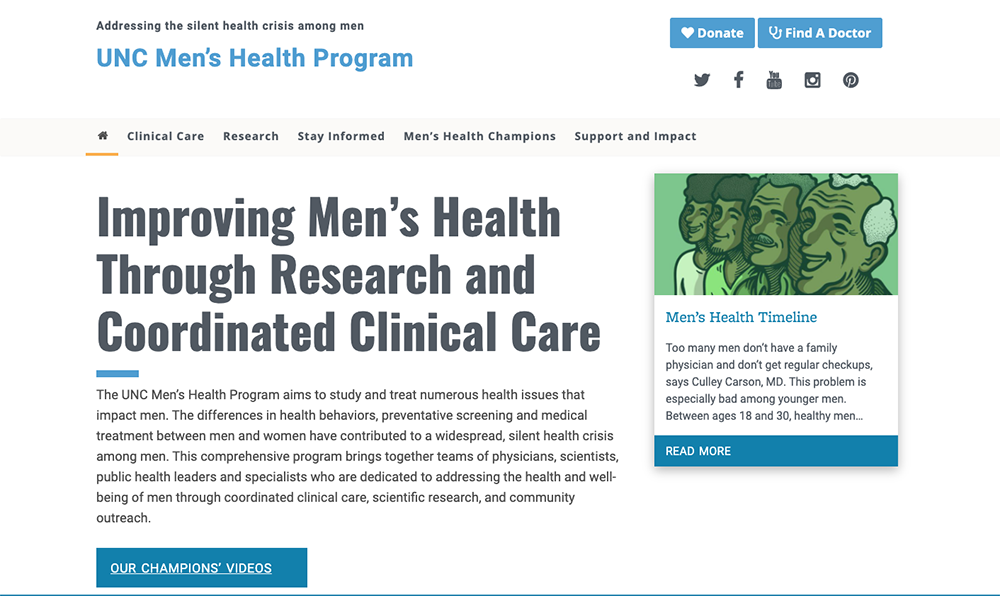
The SOM Intro Tagline creates a bold, all-caps heading followed by a short supporting paragraph. Both elements are styled with additional white space on the left and right, giving the content a more open appearance that does not span the full width of it’s containing element.
- In the editor, select Shortcodes > White Coat Theme Shortcodes > SOM Intro Tagline.
- The shortcode will be added to your page.
- Inside the opening shortcode, replace “INSERT YOUR TAGLINE” with the desired header text.
- Do not delete the surrounding quotation marks, just replace the text inside them.
- Replace the placeholder paragraph that begins with “Insert your content…” with the supporting text.
[som-intro tagline="INSERT YOUR TAGLINE"]
Insert your content. This is a paragraph. It should not have any alignment of any kind. It should just flow like you would normally expect. Nothing fancy. Just straight up text, free flowing, with love. Completely neutral and not picking a side or sitting on the fence. It just is. It just freaking is. It likes where it is. It does not feel compelled to pick a side. Leave him be. It will just be better that way. Trust me. Delete this text.

[/som-intro]
Example SOM Intro Tagline
This short code is used to display a stylized header and short paragraph that emphasize the mission or purpose of your site.

Stylized Title
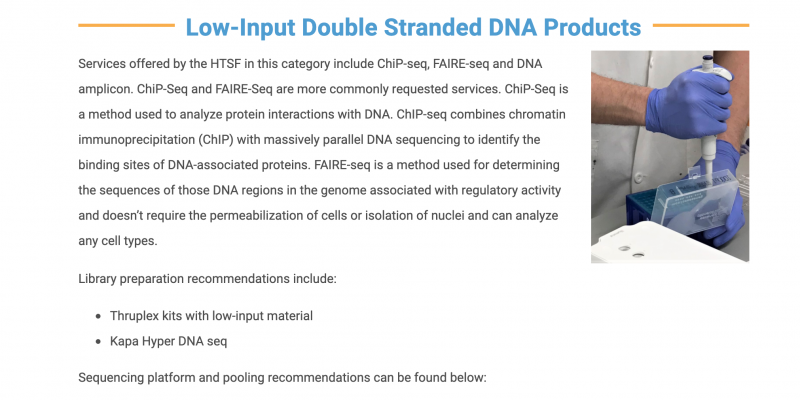
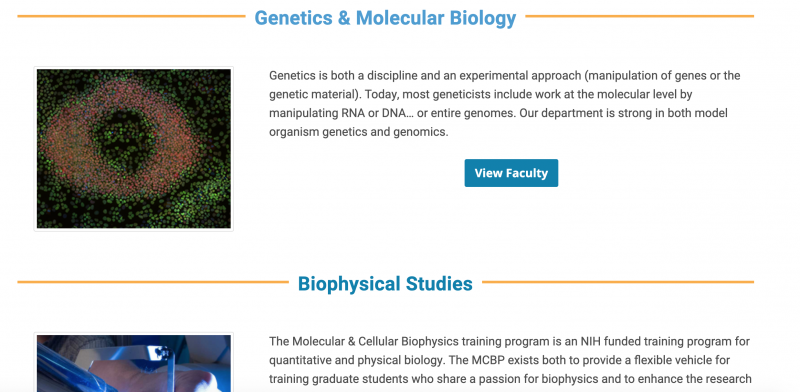
The Stylized Title shortcode is used to introduce different sections of content on a page. This heading style features a yellow accent line and should only be placed on a white background. As shown in the blue example box below, the header text is styled with a white background. This prevents the yellow line from displaying behind the text.
- In the editor, select Shortcodes > White Coat Theme Shortcodes > Stylized Title.
- The shortcode will be added to your page.
- Replace “Content” with the desired heading text.
[stylized-title]Content[/stylized-title]
Example Stylized Title
Font Awesome Section Header
The Font Awesome Section Header shortcode lets you add an icon to a header. There are 17 icons that can be used with this shortcode (see the list below).
- In the editor, select Shortcodes > White Coat Theme Shortcodes > Font Awesome Section Header.
- The shortcode will be added to your page.
- Replace “your fa icon” with the name of the desired icon.
- Do not delete the surrounding quotation marks, just replace the text inside them.
- Replace “Content” with the desired heading text.
[fa-section id="your fa icon"]Content[/fa-section]
Icon Options
Chart Column
id="chart-column"Bookmark
id="bookmark"Calendar
id="calendar"Clock
id="clock"Envelope
id="envelope"Flask
id="flask"Heart
id="heart"Location Dot
id="location-dot"Music
id="music"Newspaper
id="newspaper"Pie Chart
id="chart-pie"Quote
id="quote-left"Face Smile
id="face-smile"Star
id="star"Thumbs Up
id="thumbs-up"User
id="user"User Doctor
id="user-doctor"
Example Font Awesome Section Header