Widgets & Site Footer
Widgets are reusable content components that display in predefined areas of a website outside the main page content.
In the School of Medicine web system, widgets are primarily used for:
Accessing Widgets
Only users assigned the Administrator role can modify widgets.
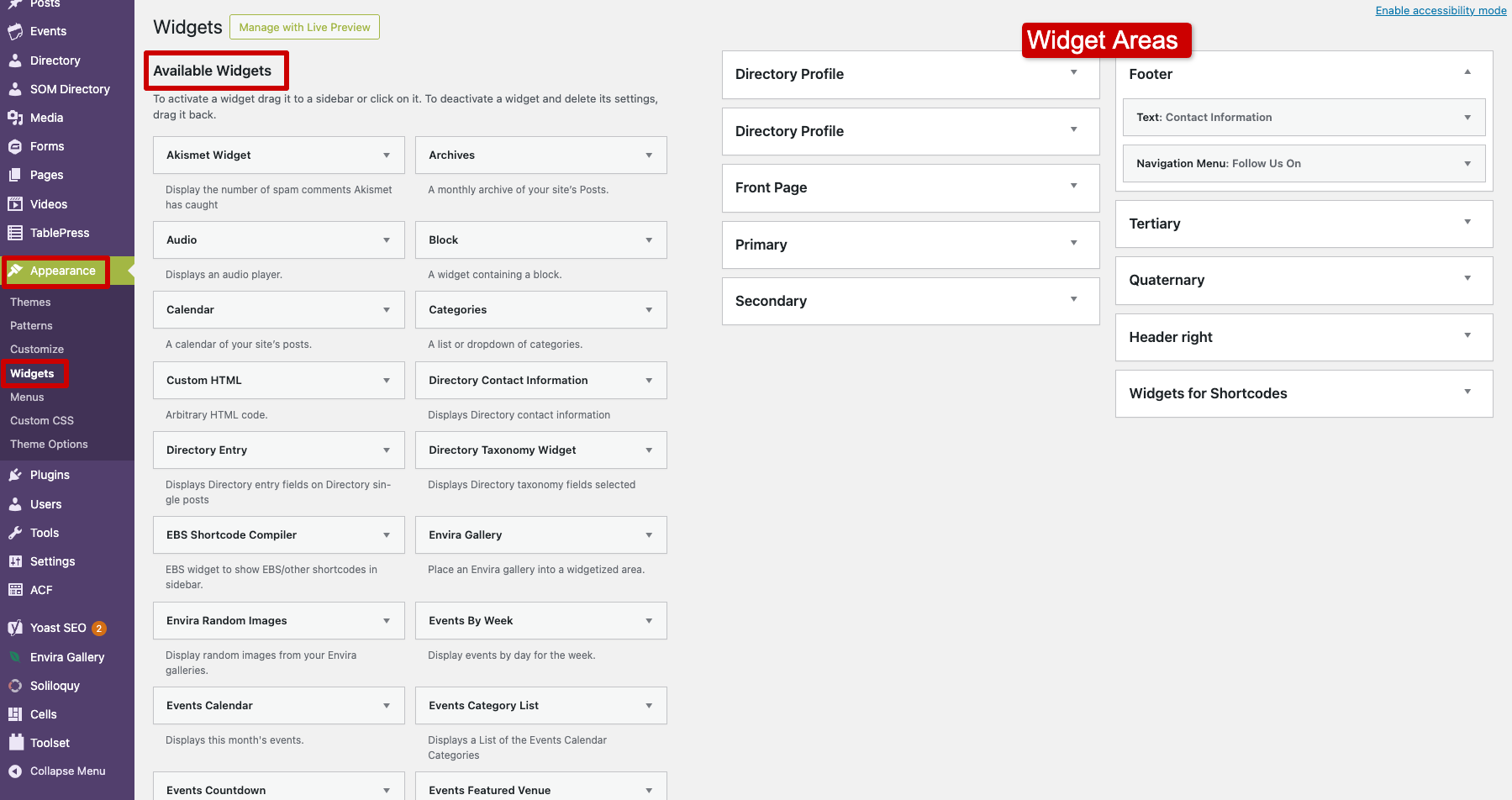
To access the widgets screen, go to Appearance → Widgets in the dashboard
On the Widgets screen:
- On the left-hand side, under Available Widgets, is a list of widgets that can be added to widget areas
- On the right-hand side are the widget areas that hold those widgets
Most available widgets are rarely used. The widget most commonly used on SOM sites is the Text widget.
Adding, Removing, and Rearranging Widgets
Widgets can be added, removed, and rearranged within widget areas to control what content displays on the site.
Adding a Widget
To add a widget:
- Go to Appearance → Widgets
- Locate the widget you want to add under Available Widgets
- You can then add it to a widget area using either of the following methods:
- Drag and Drop – Drag the widget into the desired widget area on the right side of the screen
- Add Widget Button – Click the widget, select the desired widget area from the pop-up menu, then click Add Widget
- Configure the widget settings if needed
- Click Save
Rearranging Widgets
The order of widgets in a widget area determines the order in which they display on the site.
To rearrange widgets, simply click, drag, and drop a widget into a new position within the stack of widgets.
Removing a Widget
Widgets can either be permanently deleted or moved to the Inactive Widgets section.
Delete a Widget
- Expand the widget by clicking its title
- Click Delete
Move a Widget to Inactive Widgets
If you want to reuse a widget later, you can move it to the Inactive Widgets section instead of deleting it. This removes the widget from the site while preserving its settings and content.
The Inactive Widgets are located below the list of available widgets.
To move a widget, simply drag the widget into the Inactive Widgets section. These widgets can later be reused by dragging them back into a widget area.